
Register & Login Khelo786 Game in Pakistan 2026
How to Register on Khelo786?
New users may need to create an account to access the gaming and account features advertised by Khelo786. The registration form may request a mobile number, password, and invitation code. Available requirements can vary, so check the registration page before submitting personal information.
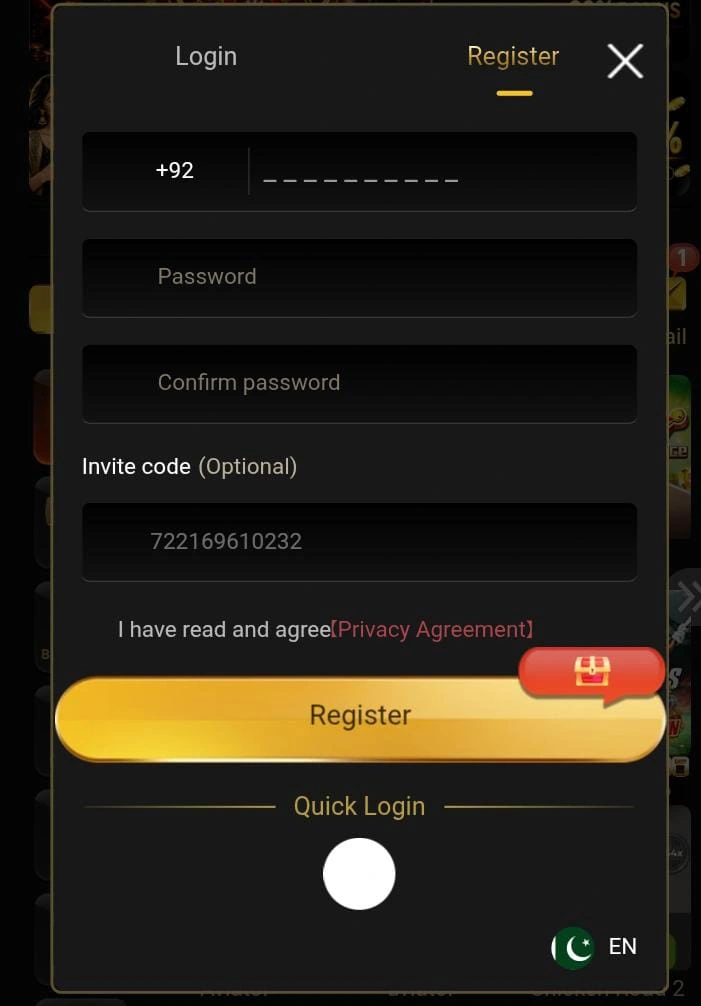
Khelo786 Registration Process
- Open the website or application from a verified source.
- Select Register or Sign Up.
- Review the displayed age requirements and account terms.
- Enter your mobile number or other requested details.
- Create a strong and unique password.
- Add an invitation code if required.
- Complete verification if requested.
- Check your information and submit the form.
Details Required for Account Creation
| Information | Purpose |
|---|---|
| Mobile Number | Account identification |
| Password | Secure account access |
| Verification Code | Contact verification, if required |
| Invitation Code | Referral identification, if available |
Only provide necessary information through a verified registration page.
How to Confirm Successful Registration
After submitting the form, check the confirmation message. If registration succeeds, the platform may redirect you to the login page or account dashboard. If an error appears, check the entered details and required fields.
How to Login to Khelo786?
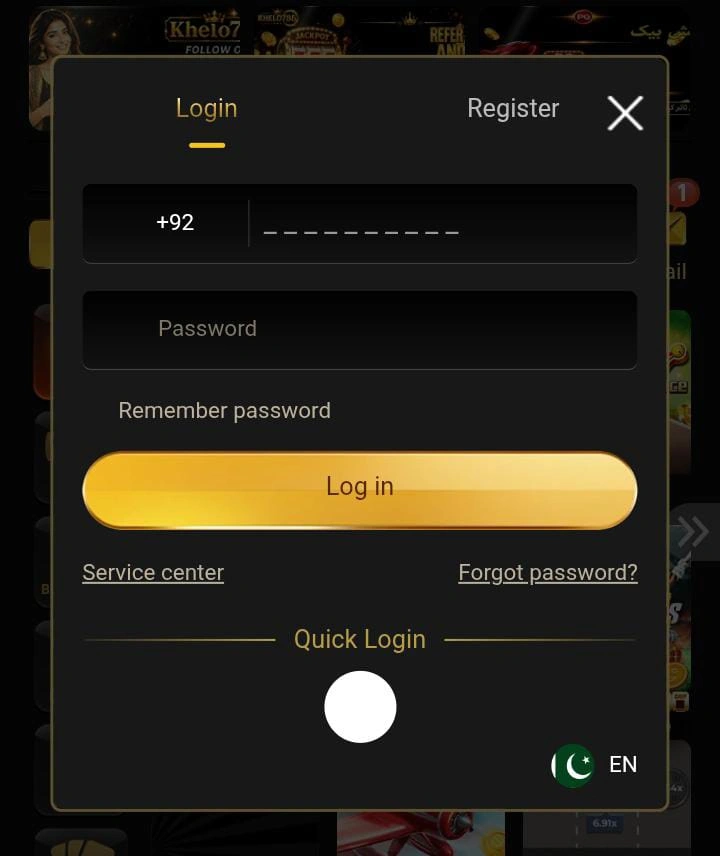
Existing users can access their accounts through the login page, if the service is available. The sign-in process may require a registered mobile number or username and the password created during registration.
Khelo786 Login Steps
- Open the verified website or application.
- Select the Login option.
- Enter your registered mobile number or username.
- Type your account password.
- Complete security verification, if requested.
- Submit the details to access your account.
How to Fix Khelo786 Login Problems?
If you cannot sign in, check these common issues:
- Incorrect mobile number or username.
- Wrong password or typing errors.
- Unstable internet connection.
- Temporary website or application errors.
- Incomplete account verification.
Check your credentials and internet connection before trying again. Avoid using unofficial login links or downloading unknown application files.
How to Reset a Forgotten Password
If the login page provides a password recovery option, follow these steps:
- Open the login page.
- Select Forgot Password.
- Enter the requested account details.
- Complete the available verification process.
- Create a new password.
- Return to the login page and sign in again.
Password recovery availability has not been independently confirmed.
Khelo786 Account Security Tips
- Use a unique password that is difficult to guess.
- Never share your OTP or verification code.
- Avoid login links sent by unknown contacts.
- Do not save passwords on shared devices.
- Check the website address before entering account details.
- Sign out after using a public or shared computer.
Can You Use Khelo786 on Multiple Devices?
Khelo786 multiple-device access depends on the platform’s account policies and security settings. Users should check whether the same account can be accessed from different phones or computers. If multiple-device login is supported, use your own trusted devices and avoid sharing account credentials. Sign out from devices you no longer use to protect your personal information.
Registration vs Login: Key Differences
| Registration | Login |
|---|---|
| Creates a new account | Accesses an existing account |
| Intended for new users | Intended for registered users |
| May require personal details | Requires login credentials |
| May include initial verification | May require sign-in verification |